





Any admin
A fast path when one sign-off is enough.
Approvals
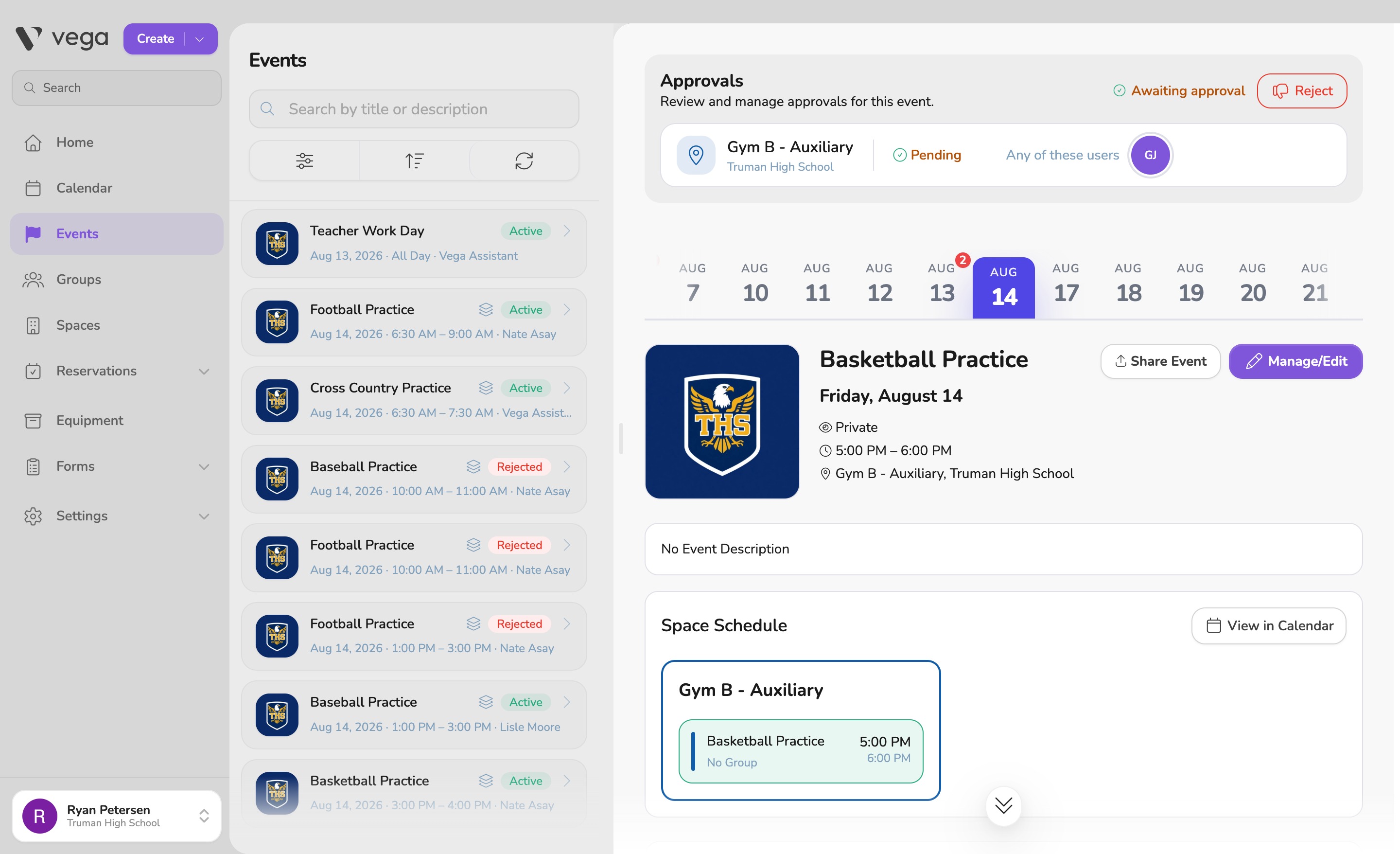
See who has signed, who is next, and what is stuck. Set a different approval chain for each space.
The chain
The theater, the gym, and a meeting room do not have to share one way of getting a yes.
A fast path when one sign-off is enough.
Each person signs before the next is asked.
All of them, in any order, before it goes live.
How it works
Any admin, in order, or everyone signs. The gym and the cafeteria can use different paths.
Every event shows who is done, who is next, and what is still waiting.
Approve or reject in place. Owners can unblock a step so an event is not stranded.

Per space
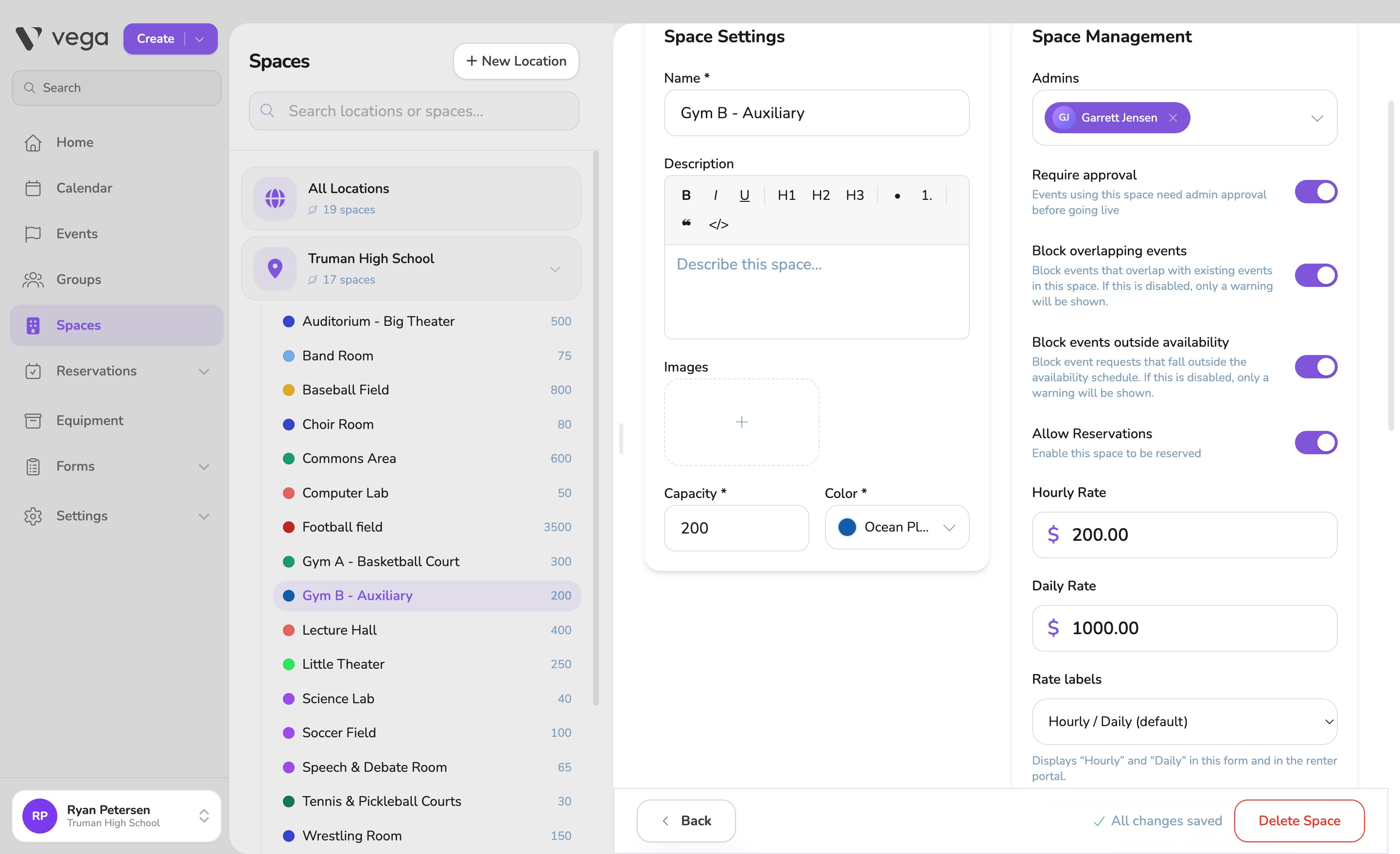
In space settings, turn on approval and choose who has to sign. The theater, the gym, and a meeting room do not have to share one path.
Less chasing. Less guessing from a Pending label. Clear chains that match how your school actually reviews events, and a queue that shows what is waiting.
Request a demo and see approval chains on a calendar set up for your spaces.