





Setup
Block the time before the doors open.
Setup and tear-down for business
AV, catering, and reset are not optional. Block them on the room so the next meeting cannot start while the last one is still being torn down.
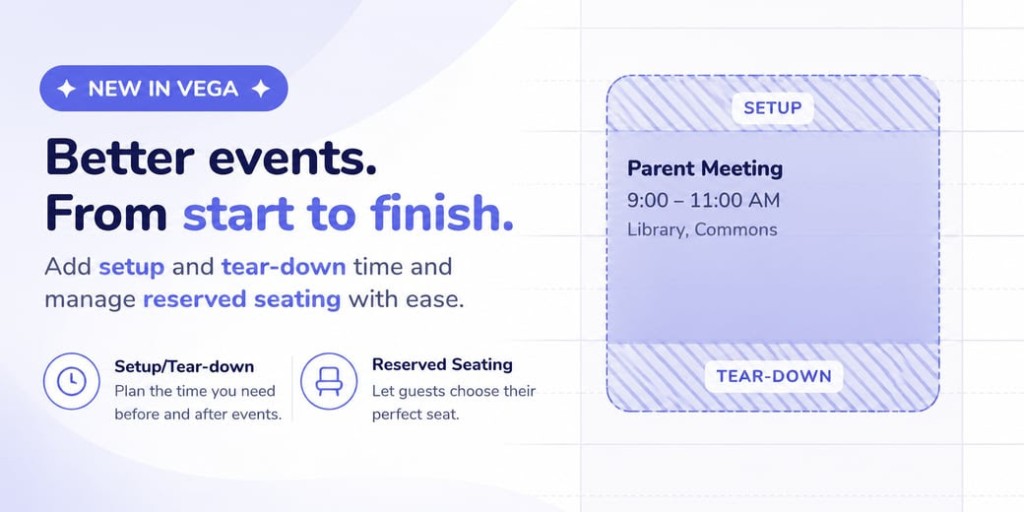
The buffer
Prep and cleanup sit on the booking, so the next group cannot land on a crew that is still resetting.
Block the time before the doors open.
Hold the room until it is clear.
Both blocks travel with the event, and count as occupied.
How it works
Prep and cleanup count as occupied. Guests do not have to see those blocks.
Same conflict engine. Used for conference rooms, floors, and venues.
If the room is in reset, the next program cannot sit on top of it.

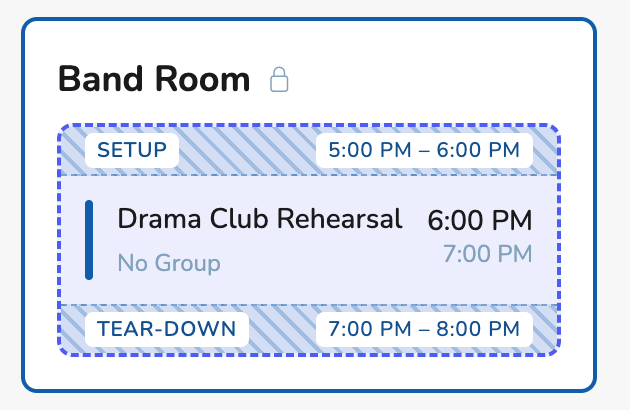
Two views
Prep and cleanup sit on the same booking and count as occupied. The public page can hide those blocks, so the listing still shows the real start time.
AV, catering, and reset are part of the booking, so the next meeting cannot start on a room that is still being flipped.
AV, catering, and reset are not optional. Block them on the room so the next meeting cannot start while the last one is still being torn down.